🗝️ Generate a new API Key
Generating a new API key on our platform is a straightforward process. Here are the steps to follow:
- Login to our platform using your credentials.
- Once you are logged in, click on
Settingsand thenAPI Keyson the left side panel.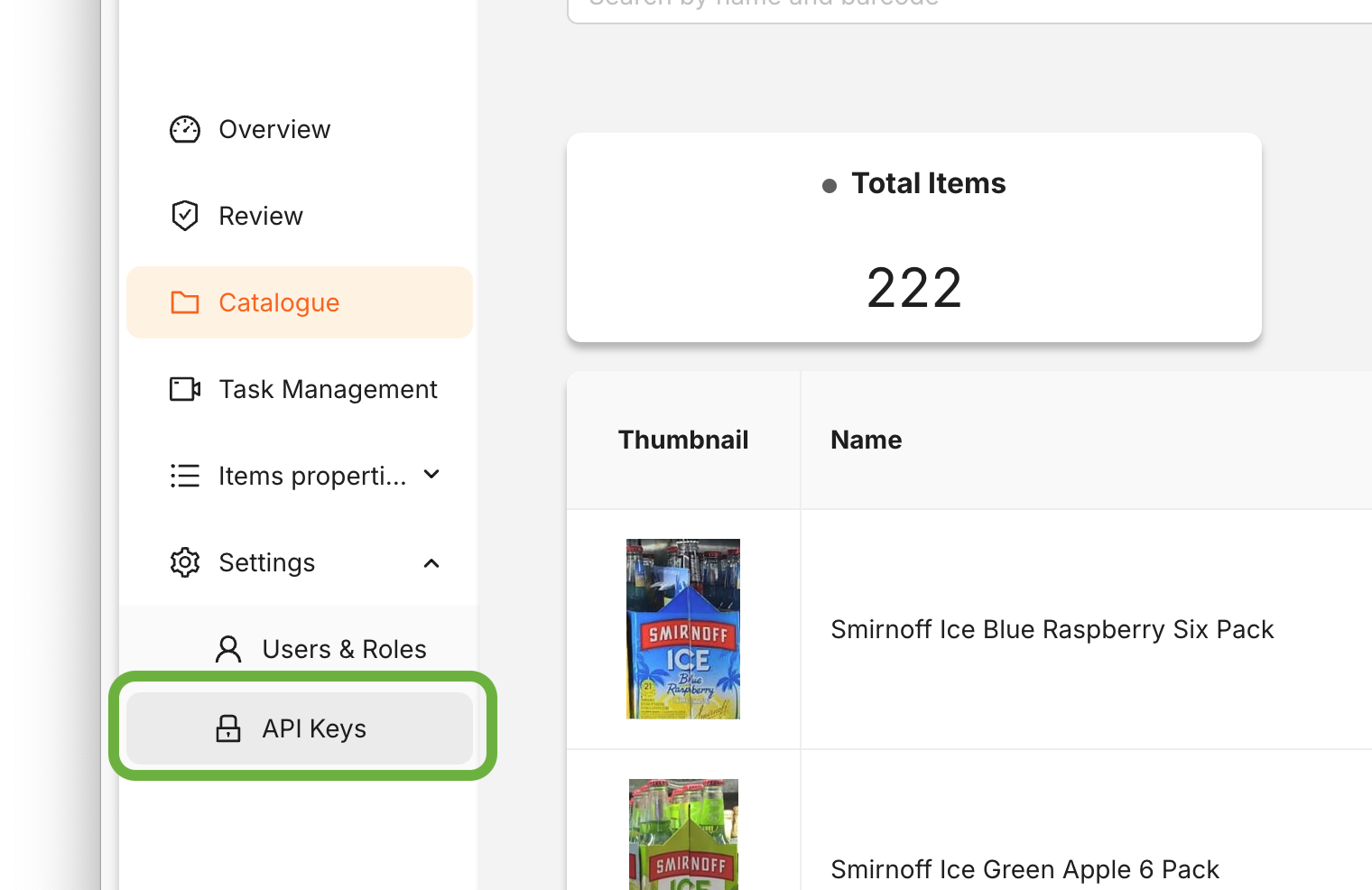
- On the API Keys page, click the
+ Create API Keybutton to generate a new API key.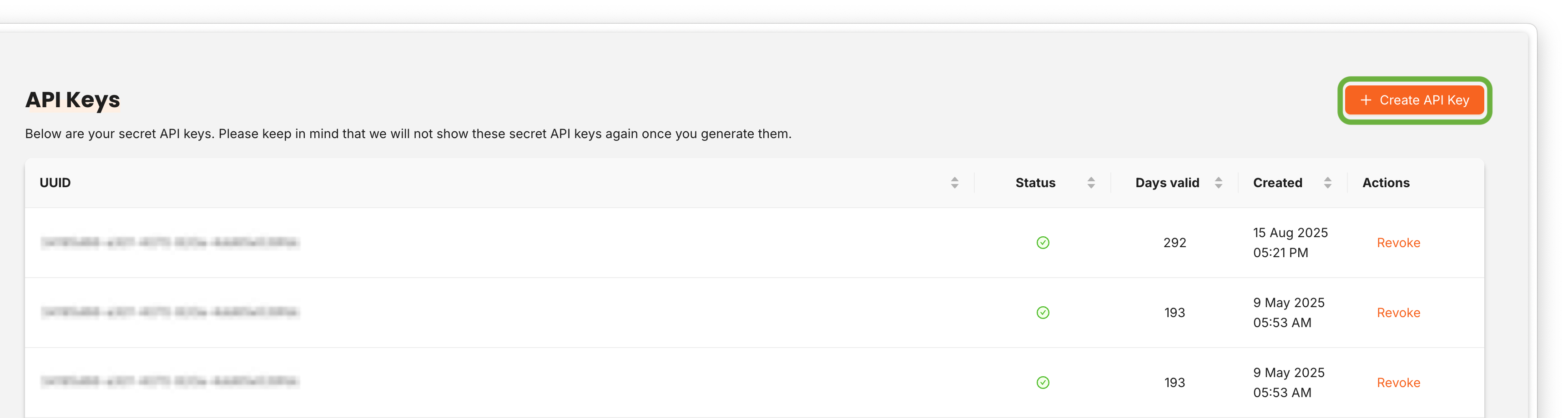
- You should now see your new API key. Copy it and be sure to keep it safe and secure.
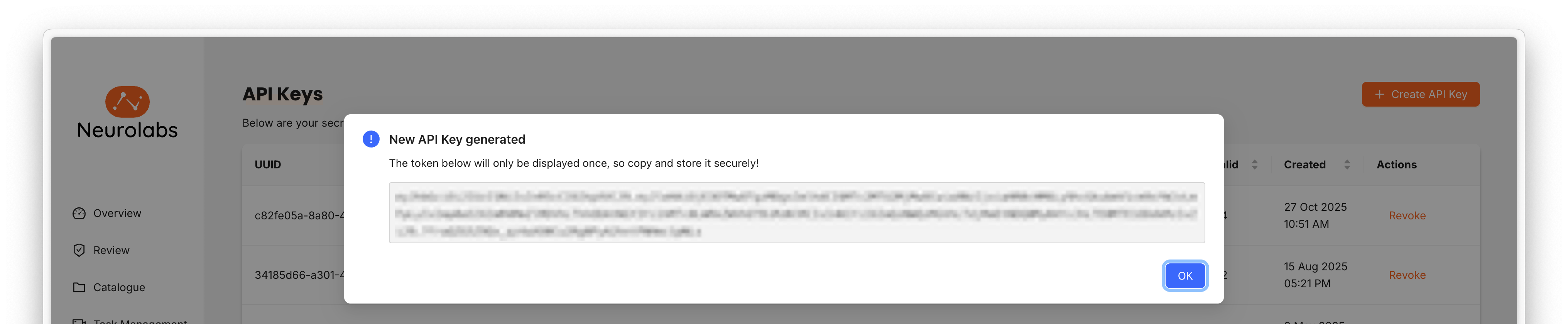
An API key grants full access to your workspace, so please treat it like a password:
- Store it in a secrets manager or an environment variable, rather than in source code, configuration files or spreadsheets.
- Share it only over a secure channel (for example a password manager or a secrets vault) and only with people who need it — avoid email, chat messages and support tickets.
- Create separate keys for separate integrations or environments, so that a single key can be revoked without disrupting everything else.
If you think a key may have been exposed, revoke it and create a replacement.
Revoking an API Key
You can revoke a key at any time from the same Settings → API Keys page:
- Find the key you want to revoke in the list.
- Delete or revoke it using the action next to the key.
Revocation takes effect immediately, and any request using that key will start failing with an authentication error. Make sure the key is no longer in use — or that a replacement has been rolled out — before revoking it.
Key expiry and rotation
API keys are valid for 365 days from the date they are created. Once a key expires, requests made with it will be rejected, so you will need to rotate it before it reaches the end of its lifetime.
We recommend rotating well ahead of the expiry date:
- Create a new API key.
- Update your integrations to use the new key.
- Once you have confirmed everything is working with the new key, revoke the old one.
Following this order means there is no gap in service while you switch over.